Golf Simulator for a Small Room or Basement: What Actually Fits
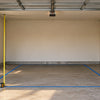
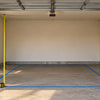
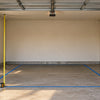
Yes, you can fit a golf simulator in a small room or basement, but ceiling height decides almost everything. With about 9 ft of ceiling, roughly 10 to 11 ft of width and 13 ft or more of depth, a compact enclosure plus a launch monitor will usually work for full swings; below that, you can still build a useful setup for irons, wedges and putting.
Basements and spare rooms are popular because they're climate-controlled and out of the way. They're also where people most often buy gear that doesn't fit. This guide walks through what to measure, which setups suit tight spaces, and where the trade-offs are.
Measure these three things first
- Ceiling height at the hitting spot. Measure to the lowest point: ductwork, beams, soffits and light fixtures in basements often sit well below the drywall. Swing a driver slowly in the spot where you'd stand. If you clip anything, that's your real limit.
- Width. You need space for the enclosure plus room to swing without hitting a side wall. Left-handed and right-handed players in the same house will want to stand near the middle.
- Depth. This is the distance from the screen back to the wall behind you. It needs to cover the enclosure, the distance from ball to screen, your swing, and (for some launch monitors) the space behind you where the unit sits.
Our ceiling height guide goes deeper on the swing-clearance part, and the room-size guide covers widths and depths in detail.
Small-room setups that work
1. Compact enclosure + portable launch monitor (most small rooms)
The GolfBays EasySim ($799) is the smallest full enclosure we carry: about 10 ft 10 in wide, 8 ft 2 in tall and 3 ft 3 in deep, with a 4:3 impact screen and tool-free click-together fittings. Because it packs down, it suits shared basements and rentals. GolfBays' guidance is a ceiling of about 9 ft or more, a room at least 11 ft wide, and roughly 13 to 16 ft of depth depending on the launch monitor.
Pair it with the Garmin Approach R10 ($599.99). It measures club speed, ball speed, spin rate, launch angle and carry, and it sits about 6 to 8 ft behind the ball. That's the catch in a short room: you need that space behind you, so plan your depth around it.
2. Sized-to-fit enclosure (narrow or odd-shaped rooms)
The GolfBays SimBox ($1,529.10 to $2,199) comes in seven sizes, with widths from 8 ft 6 in to 13 ft 2 in and heights from 8 ft 2 in to 9 ft 10 in. Most sizes are about 5 ft deep. That range is useful when a basement is narrow or has a post you need to work around. GolfBays recommends at least 9 ft of ceiling and 10 ft of width for the smallest size. Not sure which to pick? See SimBox vs EasySim vs Lux.
3. Overhead launch monitor (short rooms with enough ceiling)
If depth is your problem but height isn't, a ceiling-mounted unit frees up the floor behind you. The Uneekor EYE XO ($6,499) mounts overhead in front of the mat, reads ball and club data with two high-speed cameras, needs no marked balls, and works for righties and lefties without moving anything. Uneekor's guidance is at least 9 ft of ceiling and 10 ft of width.
4. Budget cage (testing the idea)
The YUNIC metal-frame cage ($549.99 to $579.99) includes an impact screen and a tri-turf hitting mat, in sizes from 8 × 8 × 5 ft up to 10 × 10 × 10 ft. Projector, launch monitor and computer are sold separately.
If your ceiling is under 9 ft
Be realistic here. Many people with a low basement ceiling can't swing a driver safely, and no enclosure changes that. You still have good options:
- Irons and wedges only. Shorter clubs need less overhead clearance. Swing-test before you buy anything.
- Short-game practice. The Wedge Game net ($179.99 to $399.99) is a short-game net for chipping and pitching practice.
- Putting. The Chiputt Tour-Grade Putting Mat ($229.49 to $382.49) works in rooms where a full swing doesn't.
Small-room extras worth adding
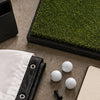
- A real hitting mat. Basement floors are usually concrete. The GolfBays Standard mat ($329, or $588 with the optional rubber base) is 4 ft 11 in square and sized to GolfBays enclosures. Our hitting mat guide explains the options.
- Foam wedge pelmet. The GolfBays foam wedge ($251.99 and up) seals the gap under the screen so low shots don't roll under it, which matters more when there's a finished wall behind it.
- Blackout side screens. Blackout screens ($233.99 and up) hang behind the impact screen to stop light bleed and improve contrast.
Common mistakes
- Measuring to the drywall, not the ductwork. The lowest obstruction above your swing is the number that counts.
- Forgetting launch monitor spacing. A unit that sits behind you adds to the depth you need. Overhead units save floor space but need ceiling height.
- Skipping the swing test. Take a slow, full swing with your longest club in the exact spot before ordering.
- Hitting off bare concrete with a thin mat. It's hard on wrists and elbows. Budget for a proper mat.
- No margin on the sides. An enclosure that fits wall to wall leaves nowhere to stand comfortably or walk around it.
Not sure your room will work?
Send us your ceiling height, width and depth (a photo of the room helps, especially any beams or ductwork) and we'll tell you honestly what fits, including if the answer is "putting only." Use the chat button on this page, text (714) 343-7110, or email info@gryngolf.com. We ship within the US.
-
Posted in
basement, buying-guide, room-size, simulators, small-space